In today’s fast-paced digital world, being tethered to a desk is a thing of the past, but the need for connectivity remains. Have you ever found yourself in a meeting, ready to present, only to realize your ultra-slim laptop lacks the right port? Enter the HUAWEI MateDock 2, a sleek solution designed to bridge the gap between portability and power. This tiny device is a lifesaver for professionals who demand efficiency without the bulk.
The Power of Portability: Why the MateDock 2 is a Must-Have
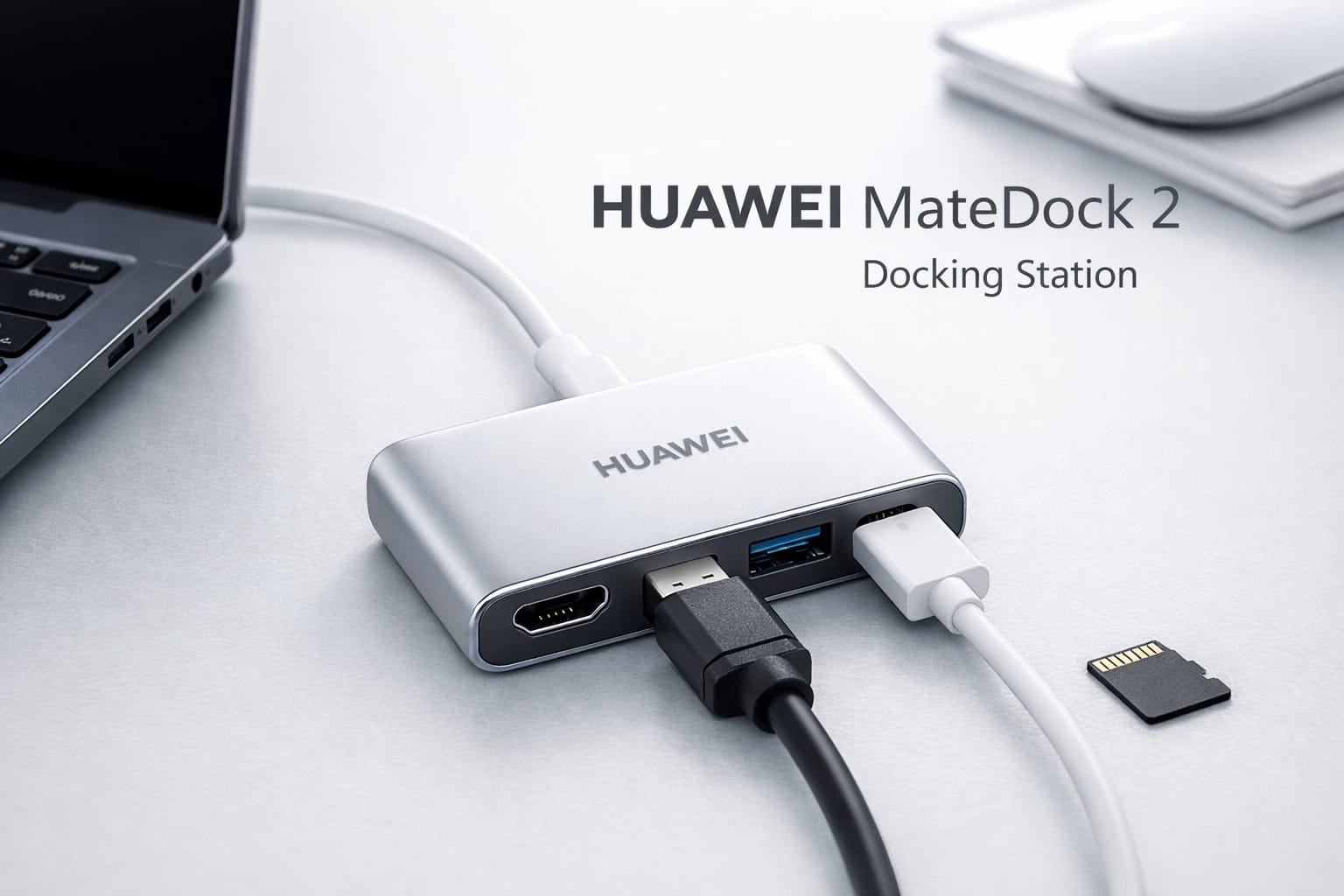
The HUAWEI MateDock 2 is more than just an adapter; it’s a productivity catalyst. Weighing in at approximately 70 grams, it is light enough to live in your laptop bag or even your pocket. Despite its small stature, it carries the weight of a full desktop setup, allowing you to connect to monitors, projectors, and external drives with ease. It’s the perfect companion for the MateBook series, ensuring you never have to compromise on functionality while enjoying a slim device.
| Feature | Specification |
| Interface | USB-C |
| Video Ports | HDMI 2.0 & VGA |
| USB Ports | 1 x USB-A (USB 3.0) |
| Charging | USB-C Pass-through |
| Weight | ~70g |
Bridging the Gap Between Mobile and Desktop
One of the most curious and exciting features of the MateDock 2 is its ability to turn your smartphone into a PC. For users with compatible Huawei devices, connecting the dock to a monitor triggers EMUI Desktop mode. Imagine being able to write reports, browse multiple tabs, or watch videos on a massive screen, all powered by the phone in your pocket. This functionality is a glimpse into a future where our primary computing device is always with us, ready to expand whenever we need a larger canvas.
Why Professionals Choose the MateDock 2
- Universal Video Support: Having both HDMI and VGA means you can connect to modern 4K TVs and older office projectors alike.
- Efficient Charging: You can charge your device while using all other ports, thanks to the dedicated USB-C power input.
- High-Speed Data: The USB-A port supports USB 3.0 speeds, making file transfers from external hard drives snappy and reliable.
- Aesthetic Integration: The minimalist white finish matches the premium look of the Huawei ecosystem perfectly.
Technical Excellence Meets Daily Convenience
Technically speaking, the MateDock 2 is built to handle the rigors of daily travel. The plastic housing is durable yet stylish, with curved edges that feel comfortable in the hand. It supports HDMI 2.0, which is crucial for those who want to drive high-resolution displays without lag. The inclusion of a VGA port might seem “old school,” but for anyone who has ever walked into a conference room with a 10-year-old projector, it is a feature that saves the day more often than not.

Expanding Your Horizons with Dual Display Options
While the HUAWEI MateDock 2 is small, it provides the flexibility of dual-screen output. While most users will use one screen at a time, having both digital and analog options ensures compatibility across a vast range of hardware. Whether you’re a photographer needing to check colors on a high-end monitor or a student presenting a thesis via VGA, this dock acts as your reliable interpreter, translating USB-C signals into whatever format you need to succeed.
Smart Connectivity for the Modern Era
- Plug and Play: There’s no need to hunt for drivers or install software; it works the moment you plug it in.
- Stable Connection: Unlike some third-party hubs that flicker, the MateDock 2 offers a rock-solid signal for both data and video.
- Heat Management: Even during long presentations, the dock manages heat effectively, preventing performance throttling.
A Stylish Companion for the MateBook Series
If you own a MateBook X or MateBook E, you know that style is a major part of the experience. The MateDock 2 doesn’t look like a piece of industrial equipment; it looks like a curated accessory. Its clean lines and simple branding reflect the Huawei philosophy of “less is more.” It’s refreshing to see a functional tool that doesn’t scream for attention but performs its job with quiet, reliable excellence every single time you connect it.
Transforming Your Smartphone into a Workstation
Let’s talk about the magic of the Mate 10, P20, and P30 series compatibility. By using the MateDock 2, you aren’t just mirroring your screen; you’re creating a windowed desktop environment. This is particularly useful for travelers who want to leave the laptop behind but still need to get some “real work” done in a hotel room. It’s a testament to how far mobile hardware has come, and the MateDock 2 is the key that unlocks that hidden potential.
Essential Tips for MateDock 2 Users
- Use Original Cables: For the best 4K results, ensure your HDMI cable is high-speed rated.
- Power Matters: Use your laptop’s original power brick when connecting to the USB-C port for the fastest charging speeds.
- Keep it Clean: The white finish is beautiful but can pick up marks; a quick wipe keeps it looking brand new.
Conclusion
The HUAWEI MateDock 2 remains a cornerstone accessory for anyone within the Huawei ecosystem. Its thoughtful blend of legacy and modern ports, combined with a feather-light design, makes it an unbeatable value for mobile workers. If you value your desk space and your time, adding this docking station to your setup is a decision you won’t regret. It simply makes technology work better for you.