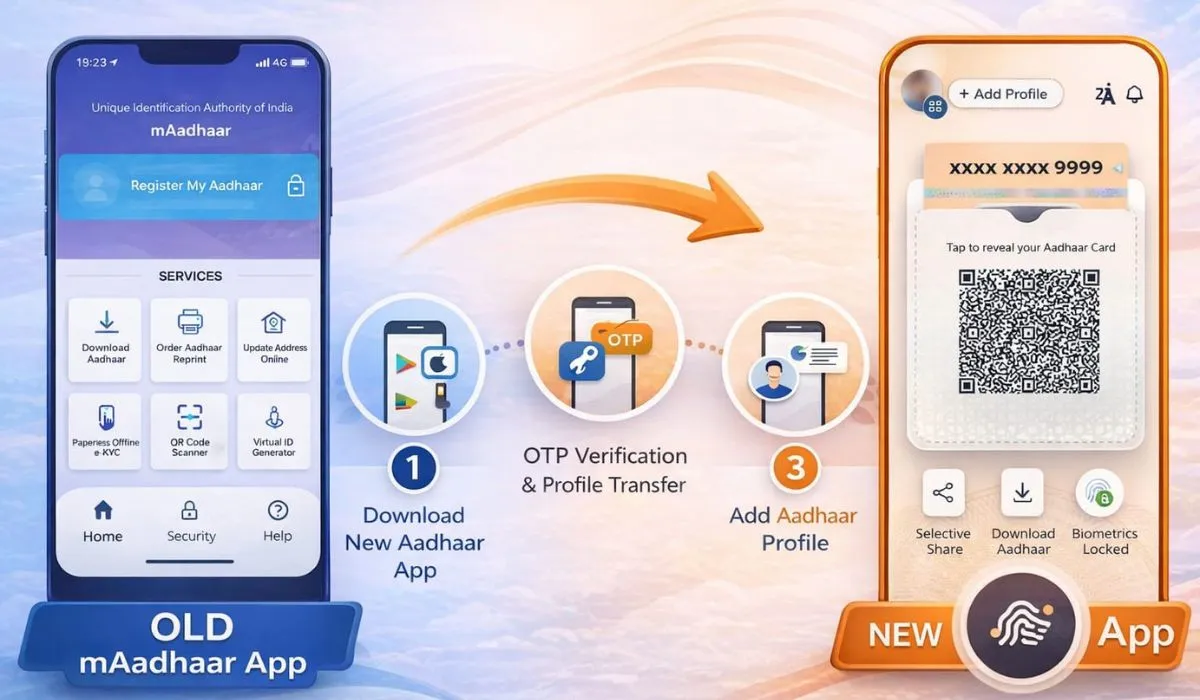
The Unique Identification Authority of India (UIDAI) has officially rolled out a new Aadhaar app, replacing the long-used mAadhaar application. The upgraded app is designed to provide simpler access, stronger data security, and better control over personal information for users across India.
However, the transition is not automatic. Users must manually shift their Aadhaar profiles from mAadhaar to the new Aadhaar app, as no data is transferred by default.
Here’s a complete, verified, step-by-step guide to help users switch safely and correctly.

How to Download and Set Up the New Aadhaar App
Users must install the new app manually from official app stores.
Step-by-step setup process:
- Open Google Play Store (Android) or Apple App Store (iOS)
- Search for the official Aadhaar app by UIDAI
- Download and install the app
- Open the app and enter the mobile number linked to Aadhaar
- Verify using the OTP sent to your registered number
- Create a security PIN or enable biometric authentication
This process ensures encrypted and secure access to Aadhaar services.
How to Switch from mAadhaar to the New Aadhaar App
The new app does not auto-import profiles from mAadhaar. Every Aadhaar profile must be added manually.

Steps to add your Aadhaar profile:
- Open the new Aadhaar app
- Tap on “Add Aadhaar”
- Enter your Aadhaar number
- Complete OTP verification
- Save and confirm the profile
➡️ For family members:
Repeat the same process for each person.
The app allows up to 5 Aadhaar profiles on a single device.
Data Transfer Policy: What Changes and What Doesn’t
There is no automatic data migration from mAadhaar.
Not transferred:
- Stored QR codes
- Downloaded Aadhaar PDFs
- Cached data
- Saved preferences
- Language settings
- Display configurations
What happens instead:
- Fresh Aadhaar data is fetched directly from UIDAI servers
- All information is encrypted
- Data storage follows secure authentication protocols
- Users must reconfigure settings manually
This method improves data accuracy and reduces risks related to outdated or locally stored data.

What to Do with the mAadhaar App After Switching
Once profiles are successfully added to the new Aadhaar app, mAadhaar is no longer required.
Before uninstalling mAadhaar, verify:
- Your Aadhaar profile opens correctly
- Family profiles (if added) are visible
- Features like:
- Offline verification
- Selective data sharing
- Identity confirmation
are working properly
After confirmation, mAadhaar can be safely uninstalled.
Important Facts Users Should Know
- Aadhaar number does not change
- Linked services remain unaffected
- Bank, PAN, SIM, and subsidy linkages stay intact
- Authentication history remains unchanged
- Only the mobile access platform changes
The new Aadhaar app becomes the primary digital interface for Aadhaar services going forward.
Why UIDAI Introduced the New Aadhaar App
UIDAI’s move aims to:
- Improve user privacy controls
- Strengthen data encryption
- Reduce dependency on cached data
- Provide real-time verification
- Enhance digital identity security
- Enable better selective information sharing
Expert Insight
The manual profile setup approach, though slightly time-consuming, significantly improves data integrity and cybersecurity standards. By eliminating automatic data transfer, UIDAI reduces exposure to compromised or outdated local device storage — aligning with global digital identity security practices.